
Let’s face it — math can be intimidating, whether you’re a student struggling with algebra or a parent trying to help with homework. That’s why we were excited to test Photomath, an AI-powered tool designed to solve math problems instantly while teaching the underlying concepts.
What we loved most is how Photomath turns complex equations into simple, step-by-step explanations. Unlike traditional calculators or search engines, it guides you through the solution process, helping you understand each step rather than just giving the answer. Whether it’s arithmetic, algebra, calculus, or even advanced math, Photomath makes learning approachable and even fun.
In this review, we’ll cover what Photomath is, its key features, pros and cons, pricing, and how to get started quickly.
What is Photomath?
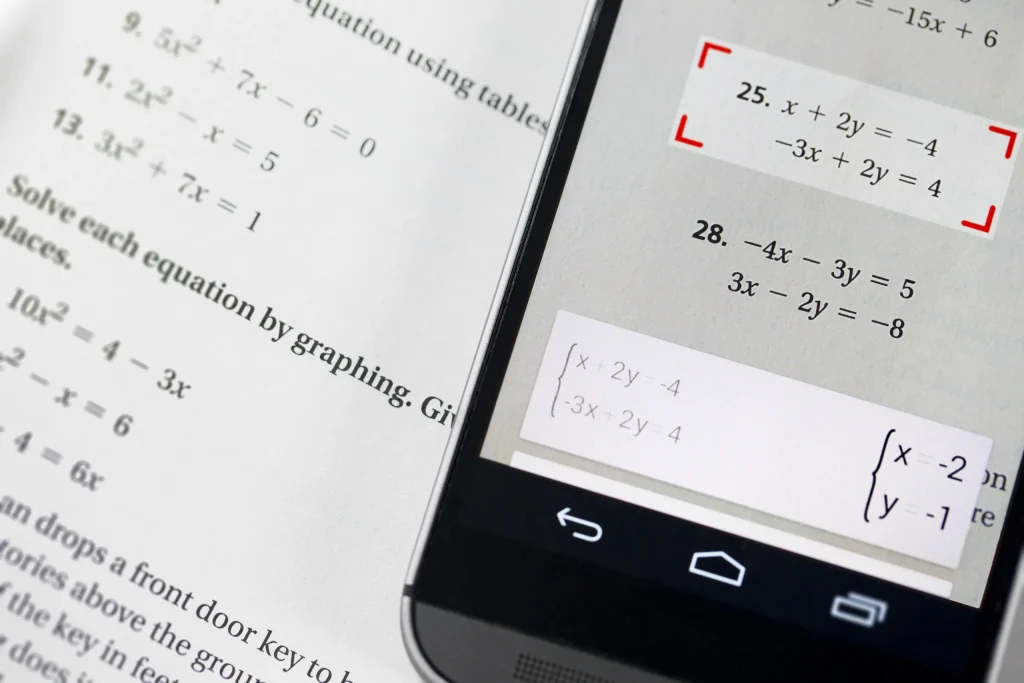
Photomath is an AI-driven math learning app that allows users to scan or type math problems and receive instant, step-by-step solutions. It covers a wide range of topics from basic arithmetic to complex calculus, making it a versatile tool for students, educators, and parents.
Key Features We Loved
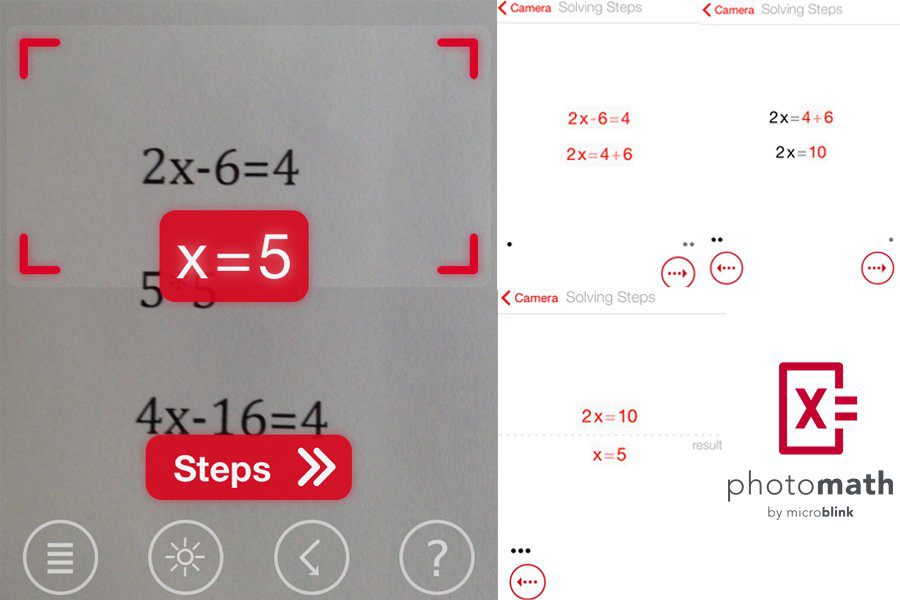
- AI-Powered Problem Solving: Solves equations and provides detailed explanations.
- Step-by-Step Guidance: Breaks down each problem so you understand the process.
- Camera Input: Snap a photo of a handwritten or printed problem to solve it instantly.
- Graphing Calculator: Visualizes equations and graphs for better comprehension.
- Multilingual Support: Available in multiple languages for global use.
- Offline Mode: Solve basic problems even without an internet connection.
Why We Enjoyed Photomath

The part we enjoyed most is how it makes learning math interactive and understandable. Instead of just giving a final answer, Photomath teaches the logic behind it, which is invaluable for students preparing for tests or homework.
Other pros include:


- Ease of Use: Simple interface for students of all ages.
- Learning Aid: Great for understanding concepts, not just solving problems.
- Portable: Works on smartphones and tablets, making math learning mobile.
- Free Version Available: Basic functionality is completely free.
Areas for Improvement
- Advanced Features Require Premium: Some step-by-step solutions and explanations need a subscription.
- Handwriting Recognition: Occasionally struggles with unclear handwritten problems.
- Not a Substitute for Teachers: Best used as a study aid rather than a complete replacement for classroom instruction.
How to Access and Use Photomath
Getting started with Photomath is simple:
- Download the App: Available on iOS and Android.
- Snap or Type a Problem: Use your camera or type the equation manually.
- View Step-by-Step Solution: Photomath will break down the problem for you.
- Practice & Learn: Use the explanations to practice similar problems and understand concepts.
- Upgrade (Optional): Subscribe to Photomath Plus for more detailed explanations and advanced features.
💡 Pro tip: Encourage students to follow the step-by-step guidance rather than skipping to the final answer to strengthen understanding.
Photomath is an invaluable AI learning tool for students of all levels. It makes math approachable, understandable, and even enjoyable while reinforcing the logic behind each solution.
Our favorite part? How Photomath teaches the “why” behind the answer, not just the answer itself — making it a true learning companion for students.
You Might Also Like;
- AI Tools Are Coming to Opera Android: Here Are the Innovations
- Top 6 Essential AI APIs for Developers to Integrate Into Your Projects in 2026
- 10 Best AI Tools on Your Phone: Top Mobile Apps for iOS & Android (2026)
Follow us on TWITTER (X) and be instantly informed about the latest developments…