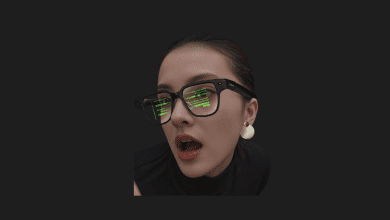
Microsoft is transforming every Windows 11 PC into an AI PC. With “Hey Copilot” support, Copilot becomes the voice AI assistant on Windows and can perform actions on your behalf.
As Microsoft bids farewell to Windows 10, and approaches the operating system’s 40th anniversary, the company aims to radically change the user experience. Although it has not yet announced Windows 12, Microsoft intends to turn every Windows 11 computer into a Copilot-enabled, conversational AI PC.
In the first stage of the AI evolution, Microsoft offered its most powerful tools only to paying users. Now, however, the company is bringing features like Copilot Voice, Copilot Vision, and Copilot Actions to all Windows 11 users.
Voice Interaction Takes Center Stage

To achieve this, Microsoft is leveraging Copilot’s voice and visual capabilities. With the new activation phrase “Hey, Copilot!”, voice interaction becomes possible on Windows 11 computers using Copilot Voice. Consequently, your voice will serve as an input method, much like a mouse and keyboard.
Microsoft had a similar period in the past with its voice assistant, Cortana, but such assistants were very limited in terms of interaction. Their capabilities were also quite restricted. Thanks to Copilot, a natural language conversation will be possible in Windows 11. Conversations can be concluded by saying “Goodbye” or by remaining silent for a few seconds. Microsoft notes that the “Hey, Copilot” feature is entirely optional and can be enabled within the Copilot app settings.
Copilot Vision guides you by seeing your screen. This feature, which was initially available on Copilot+ PCs, is now coming to all Windows 11 devices without requiring an NPU (Neural Processing Unit). Vision provides quick guidance, tips, and task direction within applications. Microsoft calls this feature Highlights. When a user simply says, “show me how to do that,” Vision provides in-app directions. In applications like Word, Excel, and PowerPoint, Vision can also analyze content that falls outside the screen.
Copilot Actions, when combined with Vision, allows the AI to perform actions on the user’s behalf within native applications and the operating system. For instance, instead of showing a setting in Photoshop, Copilot Actions can automatically activate the setting, organize photos in a folder, or extract information from a large PDF.
Connectors and More
Connectors, introduced for Windows Insiders, allow users to access and perform actions directly through Copilot in applications like OneDrive, Outlook, or Google services. For example, you can tell Copilot to find your dentist appointment details or search for a specific file. With the user’s permission, Copilot can not only find but also take action within these files or applications. Certain features exclusive to Copilot+ devices, such as Click to Do, remain limited to devices with a more powerful NPU.
Copilot Actions has been available in the Microsoft 365 Copilot enterprise tools since 2024, but will now be accessible to all Windows users. The feature will soon work with text-based commands as well. While this approach is similar to Apple’s macOS Spotlight Actions and shortcuts, Microsoft’s goal is far more comprehensive.
Ask Copilot in the Taskbar
Microsoft plans to make Copilot a “dynamic hub” with the Ask Copilot function, which will be integrated into the Windows 11 taskbar. This feature will also be entirely optional.
The new “Hey Copilot” and Copilot Vision features are available starting today on all Windows 11 computers with Copilot access. Copilot Actions and the Ask Copilot taskbar features will be rolled out gradually to Windows 11 Insiders users. Overall, it is not difficult to imagine that Copilot will become the main interface of Windows.
You Might Also Like;
- We Selected 10 Series Similar to Stranger Things for Those Who Love It
- Where and How is Silver Used in Electric Vehicles?
- Hyundai Unveils Its Multi-Purpose Wheeled Robot
-

-
-

-

-

-
-

-

-

-

-
-