In the world of digital content creation, nothing breaks the illusion of quality faster than bad audio. You can have a stunning 4K visual, but if your audience is met with hissing, background hum, or the echo of your room, they’re gone. For creators focused on the future—from podcasters building new worlds to YouTubers explaining complex tech—pristine audio isn’t just a bonus; it’s a requirement.
Fortunately, we no longer need expensive studios or complex engineering skills. Artificial intelligence has revolutionized audio post-production, offering one-click solutions that can transform a noisy recording into a studio-quality track. In this guide, we’ll explore five powerful AI tools that are changing the game, cleaning up your sound so your message is always heard loud and clear.
1. Adobe Podcast (Enhance Speech)
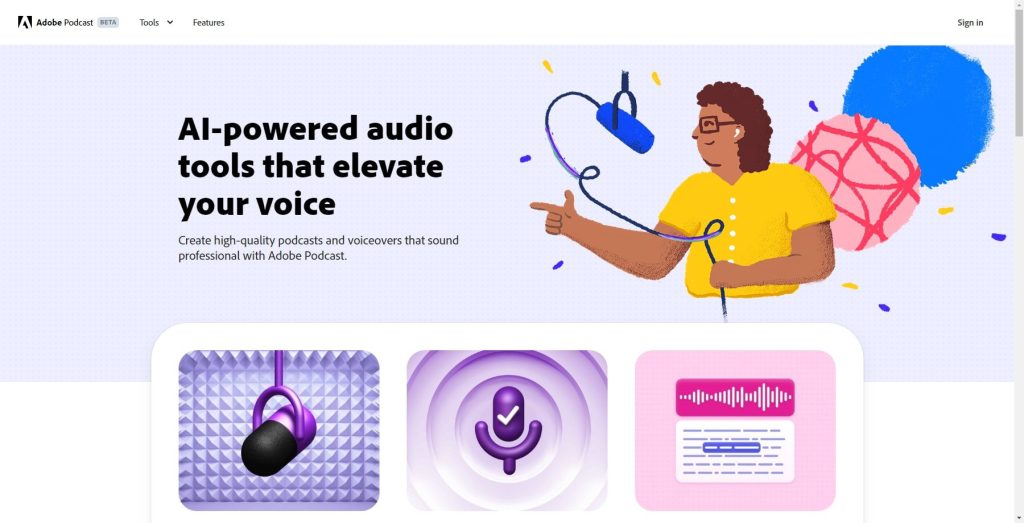
This is perhaps the most impressive tool on the market for pure voice enhancement. It was trained on thousands of hours of audio to learn how to make poor-quality recordings sound as if they were recorded in a professional studio.
- Key Features:
- Enhance Speech: This is the main feature. It doesn’t just remove noise; it reconstructs the human voice, filling in missing frequencies and removing echo (reverb), plosives, and background hum.
- Mic Check: An AI-powered tool that analyzes your microphone setup and gives you feedback on how to improve your recording environment (e.g., “You are too far from the mic”).
- Why It’s Useful:It can save audio that you would otherwise have to delete. If you record a video or podcast and later find there was an air conditioner running or bad room echo, this tool can often fix it with one click.
- Best For:Podcasters and YouTubers who need to fix problematic voice recordings and achieve a studio-quality sound without complex engineering.
2. Descript (Studio Sound)

Descript is a full, all-in-one video and audio editor that works by editing a text transcript. Its built-in AI audio feature, “Studio Sound,” is a direct competitor to Adobe’s.
- Key Features:
- Studio Sound: A single-click button that regenerates the audio to remove noise, reduce room echo, and equalize the speaker’s voice.
- All-in-One Workflow: The biggest advantage is that noise removal is part of your editing process. You don’t need to export the audio, clean it in another app, and re-import it.
- Filler Word Removal: It can also automatically find and delete “ums,” “ahs,” and “you knows” from your recording.
- Why It’s Useful:It dramatically speeds up the content creation workflow. You can record, edit, clean the audio, and publish all from one application.
- Best For:Content creators (especially podcasters) who want a complete “record-to-publish” solution and value speed and efficiency.
3. LALAL.AI

This tool is different. It’s not just a noise remover; it’s an AI-powered stem splitter. It uses AI to “unmix” a finished audio file into its individual parts (stems).
- Key Features:
- Stem Splitting: You can upload a song and separate it into Vocals, Drums, Bass, and Instruments.
- “Phoenix” Algorithm: A powerful algorithm designed specifically for cleaning up vocals, removing background music, and isolating speech.
- Voice Cleaner: This is their dedicated noise-cancellation feature, which targets non-musical noise like traffic, fan hum, and mic rumble.
- Why It’s Useful:Imagine you have a video clip where people are talking, but there is loud music playing. You can use LALAL.AI to remove the music while keeping the voices. This is something most simple noise removers cannot do.
- Best For:Video editors, musicians, and creators who need to isolate or remove specific parts of an audio track (like music or specific instruments), not just general noise.
4. Audo.ai

Audo.ai focuses on one thing: simplicity and speed. It’s a web-based tool designed for fast, effective, one-click audio cleaning.


- Key Features:
- Advanced Noise Reduction: It’s very effective at removing complex, variable background sounds like wind, traffic, or crowd chatter.
- Auto-Leveling: It automatically adjusts the volume of your recording to be consistent, which is great if the speaker moved closer to and further from the mic.
- De-Reverberation: It has a specific setting to reduce echo from recording in an empty room.
- Why It’s Useful:It’s the perfect “quick fix” tool. You don’t need to create a project or learn complex software. You just drag your file, let the AI clean it, and download the result.
- Best For:Creators who need to clean audio quickly without a full-featured editor. It’s excellent for fixing audio from a phone or a lavalier mic used outdoors.
5. Audacity (with AI Plugins)

Audacity is the classic free, open-source audio editor. By itself, its built-in “Noise Reduction” tool is basic. However, its real power now comes from its support for third-party AI plugins.
- Key Features:
- Plugin Support (VST3, AU): You can install powerful, free AI plugins directly into Audacity.
- Intel’s OpenVINO AI Plugins: Intel has released free plugins (including a noise suppressor) that run on your computer’s CPU and use AI to clean audio in real-time.
- Manual Control: Unlike the one-click tools, Audacity gives you full control. You can manually select the “noise profile” and decide exactly how much noise to remove.
- Why It’s Useful:It’s the most powerful free option. If you are on a budget but are willing to do a little setup (installing plugins), you can get professional-grade results without paying for a subscription.
- Best For:Budget-conscious creators, students, and hobbyists who want detailed control over their audio and are comfortable with a more technical tool.
Quick Comparison
| Tool | Key Feature | Best For | Typical Pricing |
| Adobe Podcast | “Enhance Speech” (Studio-quality) | Podcasters, Voice-overs | Free (with limits), Paid Tiers |
| Descript | “Studio Sound” (in-editor) | All-in-one Podcasting/Video | Free Tier, Paid Subscriptions |
| LALAL.AI | Stem Splitting & Voice Cleaning | Isolating vocals/instruments | Free (limited), Credit Packs |
| Audo.ai | Fast, One-Click Cleaning | Quick fixes, on-the-go recording | Free Tier, Subscriptions |
| Audacity | Plugin Support (e.g., OpenVINO) | Budget-conscious creators, DIY | 100% Free (Open-Source) |
You Might Also Like;
- We Selected 10 Series Similar to Stranger Things for Those Who Love It
- Where and How is Silver Used in Electric Vehicles?
- Hyundai Unveils Its Multi-Purpose Wheeled Robot
Follow us on TWITTER (X) and be instantly informed about the latest developments…