AI
Freshchat AI Review – The All-in-One Conversational AI for Support & Sales


Freshchat AI is the powerful artificial intelligence engine built directly into Freshworks’ modern customer messaging platform.
It’s not just a standalone bot platform, but an integrated solution that combines live chat, automation, and agent assistance in one unified interface.
Branded as “Freddy AI,” this technology is designed to help businesses resolve customer queries instantly, boost agent efficiency, and deliver personalized experiences.
In this review, we’ll cover Freshchat AI’s core features, its strengths, and how it differentiates itself from the rest of the market.
💡 What is Freshchat AI?
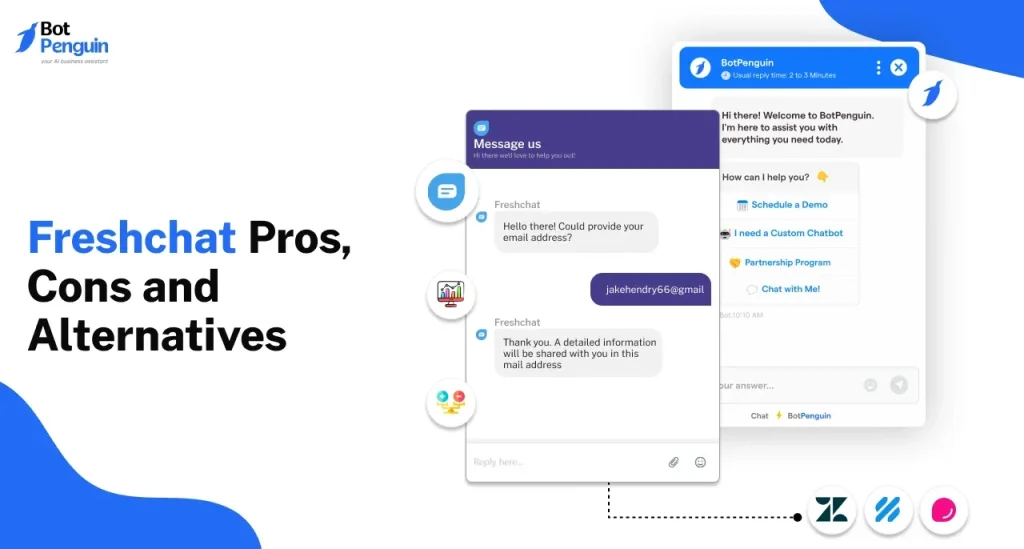
- Freshchat AI is the artificial intelligence layer of the Freshchat customer messaging software.
- It offers capabilities for both customer-facing self-service (chatbots) and internal team support (Agent Assist).
- The platform uses Natural Language Processing (NLP) to understand customer intent, provide 24/7 automated answers, and triage complex issues to the right human agent.
- Its goal is to reduce costs and improve customer satisfaction (CSAT) by providing instant, effective support.
It’s designed for:
- 📈 SMBs & Mid-Market Businesses – Companies that want powerful AI without complex enterprise setup.
- 👩💻 Existing Freshworks Users – Especially businesses already using Freshdesk or Freshsales who want a seamless automation layer.
- 🤝 Customer Support Teams – Looking to reduce high ticket volumes and improve agent efficiency.
- 🛍️ E-commerce & Sales Teams – Using chat to greet leads, answer pre-sales questions, and drive conversions.
🔑 Key Features of Freshchat AI
- AI-Powered Chatbots (Freddy Self-Service): Builds custom bots with a no-code visual builder to answer customer questions 24/7.
- Agent Assist (Freddy Co-pilot): Provides human agents with real-time response suggestions, canned responses, and conversation summaries during a live chat.
- Intent Detection: Understands what a customer wants (e.g., “order status,” “refund”) to route them to the correct bot flow or department.
- No-Code Bot Builder: A drag-and-drop interface that allows even non-technical teams to design complex automation flows.
- Omnichannel Messaging: Deploys the AI consistently across Web, Mobile Apps, WhatsApp, Apple Messages for Business, and other social channels.
- Freshworks Ecosystem Integration: Deeply integrates with Freshdesk to create tickets and pull customer data, and with Freshsales for lead management.
🌟 Why We Loved Freshchat AI
- User-Friendly Interface: This is a Freshworks signature. It makes building and managing AI bots remarkably simple and intuitive.
- True All-in-One Solution: You get both a best-in-class live chat/messaging platform and a powerful AI engine in the same package.
- Accessibility for SMBs: It doesn’t just focus on massive enterprises; it makes powerful AI accessible and affordable for smaller businesses.
- Seamless Ecosystem: If you already use Freshdesk, the Freshchat AI integration is one of the smoothest experiences on the market.
- Agent Productivity: The “Co-pilot” features are a huge boost, enabling even new agents to answer questions quickly and accurately, like a seasoned expert.
⚠️ Areas for Improvement
- Not “AI-Only”: Pure-play AI platforms (like Ultimate.ai) may offer deeper NLU capabilities for extremely large-scale, complex enterprise needs.
- NLU Training: Training the AI on industry-specific or complex intents can require more manual effort compared to some competitors.
- Features Gated in High Tiers: Many of the most powerful AI capabilities are reserved for the higher-priced subscription plans.
- Messaging-First Focus: The platform is primarily designed for chat and messaging channels. (Email automation is handled more by Freshdesk).
🚀 How Freshchat AI Works
- Sign up for a Freshchat plan that includes AI features.
- Use the No-Code Bot Builder to visually design conversation flows for your bot.
- Train the AI on the common questions (intents) your customers ask.
- Deploy the bot on your website, in your mobile app, or on social channels like WhatsApp.
- Configure the “Freddy Co-pilot” features to assist your live agents.
- Monitor the analytics to see your bot’s automation rates and customer satisfaction.
💡 Pro Tip:
- Use the “Freddy Self-Service” bot not just to answer FAQs, but as a “triage” tool. Have the bot collect key information—like name, order number, and issue—before connecting a customer to a live agent. This saves the agent significant time.
🏁 Final Verdict
- Freshchat AI is an excellent and highly accessible solution for businesses that want to blend the human touch of live chat with powerful automation.
- Its core strength lies in its ease of use and its native, seamless integration into the wider Freshworks ecosystem (especially Freshdesk).
- For SMBs, mid-market companies, or any existing Freshworks customer needing an all-in-one messaging and AI platform, it is an ideal choice.
✅ Our Favorite Feature:
- The No-Code Bot Builder. This feature democratizes AI. It allows non-technical support managers or marketing teams to build, test, and deploy complex, powerful automated conversations without writing a single line of code. 🤖👍
You Might Also Like;
- Pocket-Sized Wind Energy: The Revolution for Off-Grid Living
- The Wait is Finally Over: Native YouTube Lands on Apple Vision Pro
- Inside the Beast: Samsung and NVIDIA’s Massive AI Factory with 50,000 GPUs


Follow Us