Modue Modular Console Review: The Ultimate Creator Dashboard

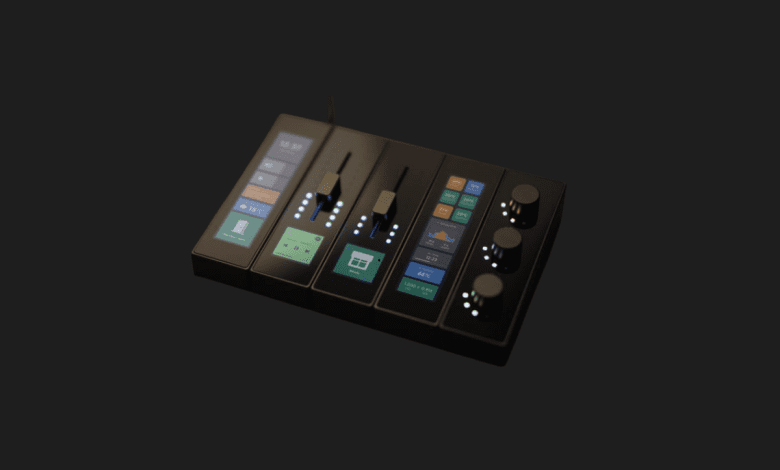

For years, my desk has been a chaotic graveyard of mismatched peripherals, macro pads, and audio mixers. I constantly found myself alt-tabbing out of intense gaming sessions just to adjust my Spotify volume or desperately searching for keyboard shortcuts to mute my microphone on Zoom. When the Modue crossed my radar, promising a fully customizable, magnetic, and tactile control center, I was instantly intrigued. After spending a few weeks integrating it into my daily workflow, I can confidently say it has completely fundamentally changed how I interact with my PC.
- ✅ Incredibly satisfying tactile feedback from physical knobs and sliders
- ✅ Brilliant magnetic hot-swappable design for endless layouts
- ✅ Sleek, low-profile aesthetic that elevates any desk setup
- ❌ Deeply reliant on background software running smoothly
- ❌ The core touch display is a bit of a fingerprint magnet
- ❌ Expanding your setup with additional modules can get expensive
| Feature | Details |
|---|---|
| Connection System | Magnetic Pogo Pins (Hot-swappable) |
| Core Interface | Customizable Touchscreen Display |
| Physical Controls | Mechanical Sliders, Clickable Dials, Tactile Buttons |
| PC Connectivity | USB-C (Base unit only) |
| OS Compatibility | Windows 10/11 & macOS |
| Software Integrations | OBS, Adobe Premiere, Spotify, Discord, Twitch |
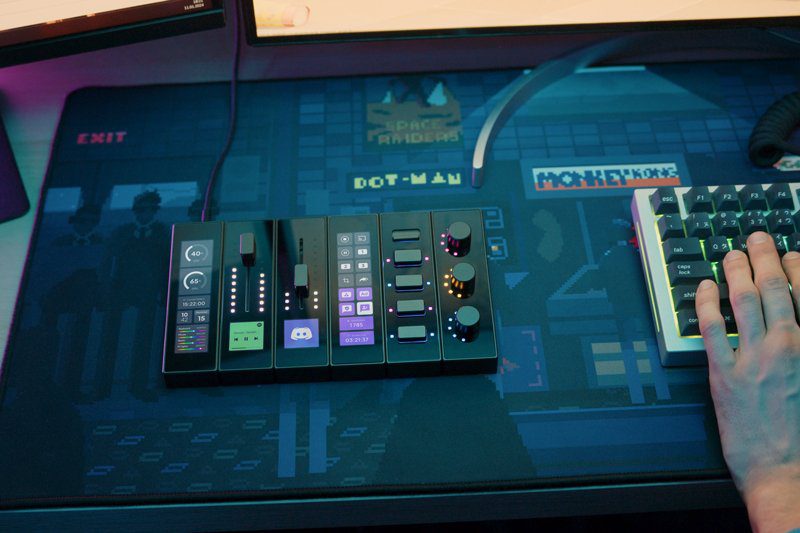
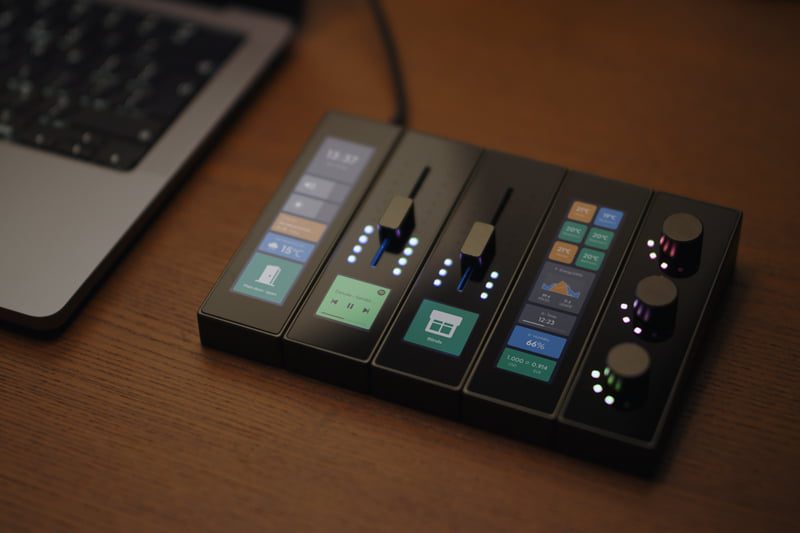
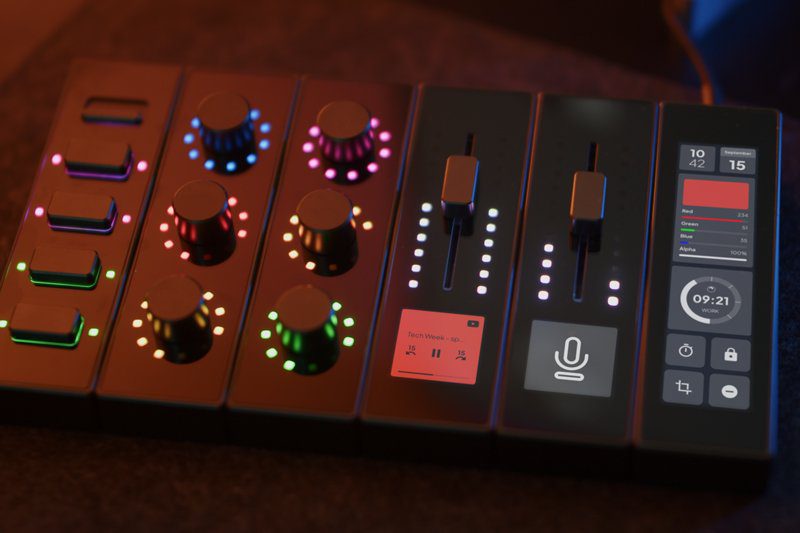
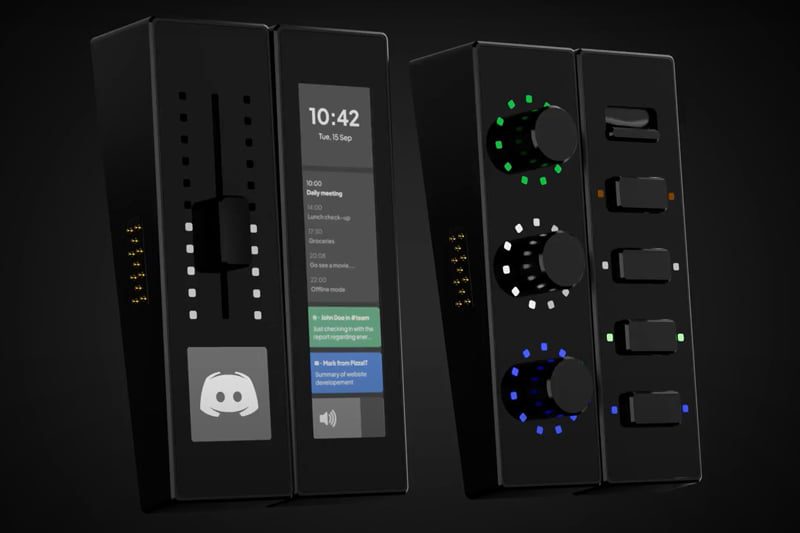
Unboxing the Modue feels less like opening a piece of consumer electronics and more like handling precision engineering tools. The core unit features a beautiful, responsive touchscreen that acts as the brain of the operation, connecting to your PC via a single USB-C cable. But the true magic happens when you start playing with the modules. Using a clever system of magnetic pogo pins, you can simply snap on a block of physical sliders or a panel of rotary dials. The connection is instantaneous—no restarting software, no plugging in extra cables. They just snap together with a satisfying “click,” and the software immediately recognizes the new hardware layout.
Setting it up was a breeze, though it did require a bit of thought regarding how I actually wanted to control my digital life. I configured the three tactile sliders on the left module to control my system volume, Spotify audio, and Discord voice chat separately. The resistance on these sliders is buttery smooth, offering the kind of micro-adjustments you just can’t get by tapping volume keys on a keyboard. On the right, I snapped on the dial module. I mapped the main dial to scrub through timelines in Adobe Premiere, and pressing it in acts as my universal “mute mic” button for streaming. The haptic feedback on the dials is spectacular, providing a gentle notched feeling as you turn them, ensuring you don’t accidentally over-scroll.
The companion software is the heart of the Modue experience, and thankfully, it is quite robust. It features a drag-and-drop interface that makes mapping functions incredibly intuitive. Want to launch a specific app, trigger an OBS scene transition, or run a complex multi-step macro? Just drag the command onto the virtual representation of your console. However, this deep software integration is a double-edged sword. If the companion app crashes—which happened to me once during a heavy rendering session—your beautiful hardware temporarily becomes a glowing paperweight until you restart the program.
At $130 for a starter kit, the Modue is competitively priced against other premium macro pads. It brings back the joy of physical, tactile control to a world that has become overwhelmingly touch-based and screen-reliant. There is a distinct psychological satisfaction in slamming a physical slider down to instantly mute an annoying ad or cranking a metal dial to turn up your favorite track. It isn’t just a productivity tool; it’s a genuinely fun piece of hardware that begs to be interacted with. If you are someone who likes to micromanage your digital environment, the Modue’s infinite expandability makes it a long-term investment for your desk.
Who is this for?
The Modue is tailor-made for streamers, video editors, music producers, and power users who juggle multiple applications simultaneously. If you crave physical controls for digital actions and love customizing your workspace, this ecosystem is built for you.

Alternatives to consider:
The most obvious competitor is the Elgato Stream Deck +, which offers a fixed layout of LCD keys, a touch strip, and dials. It has a more mature software ecosystem but lacks Modue’s modularity. The Loupedeck Live is another strong contender, primarily favored by photo and video editors, though it is significantly more expensive and not physically expandable.
Can I change the layout while the PC is on?
Absolutely. The modules are entirely hot-swappable. You can pull the slider module off the left side and snap it onto the right side while the device is fully powered on, and the interface will update instantly.
Does it support third-party plugins?
Yes, the Modue software includes a growing library of plugins and integrations for popular apps like Discord, OBS Studio, Philips Hue, and the Adobe Creative Cloud suite, with an open API for community developers.
Modue Review
Product Images
You Might Also Like;