


Are you tired of staring at the same four walls? In 2026, you don’t need to hire an expensive interior designer or push heavy furniture around to visualize a new look. AI-powered interior design tools have revolutionized home renovation.
By simply uploading a photo of your current room, these tools can reimagine the space in seconds—changing the flooring, furniture style, and lighting. Here are the 5 best AI tools to redesign your room from a photo, complete with features, pricing, and pros/cons.
1. Interior AI

Best for: Rapid visualization of different aesthetic styles.
Interior AI is one of the pioneers in the “photo-to-render” space. It focuses on taking your existing room and applying specific design filters (like “Cyberpunk,” “Minimalist,” or “Tropical”) to show you what is possible.
- Key Features:
- Supports over 30+ distinct design styles.
- “Virtual Staging” mode for empty rooms.
- Mixes renders to create unique hybrid styles.
- Pricing:
- Free: Limited daily renders (often with watermarks).
- Pro: ~$29/month for unlimited high-res renders and private workspace.
- Pros:
- Extremely fast processing.
- Huge variety of niche styles.
- Very easy to use (drag and drop).
- Cons:
- Sometimes “hallucinates” objects (e.g., turning a cat into a pillow).
- The free version is quite restrictive.
2. REimagineHome
Best for: Real estate agents and virtual staging.
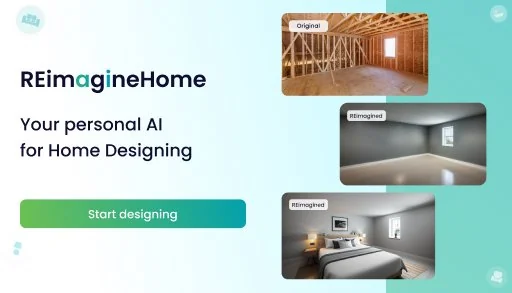
If you are looking to sell a property or visualize an empty space, REimagineHome is a powerhouse. It uses AI not just to overlay styles, but to understand the architectural geometry of the room.


- Key Features:
- Decluttering: The AI can remove existing furniture before adding new items.
- Architectural changes (changing wall colors, flooring materials, and ceiling types).
- Landscaping tools for exterior design.
- Pricing:
- Free Trial: Includes a set number of free images.
- Paid: Credit-based system (pay as you go) or monthly subscriptions starting around $19/month.
- Pros:
- Maintains the structural integrity of the room better than most.
- Excellent for removing clutter from messy photos.
- Very realistic lighting effects.
- Cons:
- Can become expensive if you need to generate hundreds of images.
- Less “artistic” freedom compared to Interior AI; focuses more on realism.
3. RoomGPT
Best for: Beginners and quick, casual makeovers.
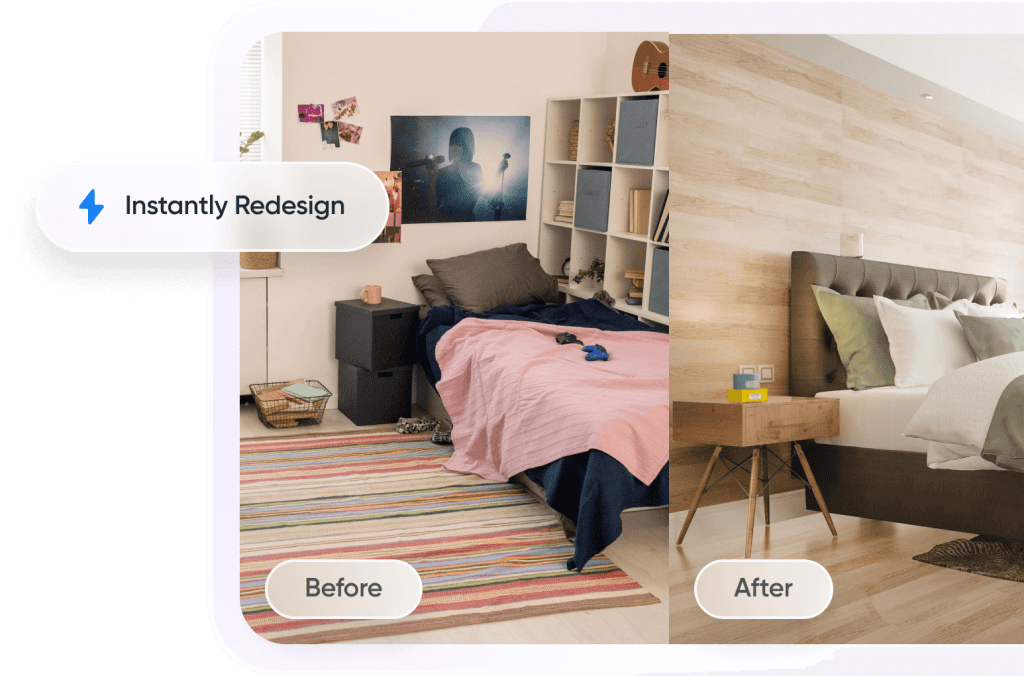
RoomGPT is celebrated for its simplicity. It strips away complex settings and gives you exactly what you want: a fresh look for your room with zero learning curve.
- Key Features:
- Theme-based rendering (Modern, Coastal, Professional, etc.).
- Side-by-side comparison slider (Original vs. AI).
- Mobile-friendly interface.
- Pricing:
- Freemium: 3-5 free generations per day.
- Paid: Credit packs (e.g., 30 renders for $9).
- Pros:
- Cleanest user interface of the bunch.
- No subscription required (pay for what you use).
- Great for quick inspiration.
- Cons:
- Fewer customization options (you can’t tweak specific furniture pieces).
- Image resolution is lower on the free tier.
4. Homestyler AI

Best for: Detailed planning and 3D modeling enthusiasts.
Homestyler is a well-known heavy hitter in the design world. While it started as a 3D floor planner, its new AI features allow you to turn rough sketches or photos into polished designs.
- Key Features:
- Sketch-to-Image: Turn a napkin drawing into a realistic room.
- Full 3D editor: You can manually move furniture after the AI generates the image.
- Furniture library with real brands.
- Pricing:
- Basic: Free (limited rendering quality).
- Pro: Starts at ~$5/month for 4K rendering and removal of watermarks.
- Pros:
- Offers the most control; you aren’t just relying on AI luck.
- Allows you to create precise floor plans alongside the images.
- Very affordable entry-level pricing.
- Cons:
- Steeper learning curve than the other tools.
- Can feel overwhelming if you just want a quick picture.
5. Collov AI

Best for: A mix of AI generation and shopping the look.
Collov bridges the gap between dreaming and buying. It focuses on generating designs where the furniture looks like items you could actually purchase.
- Key Features:
- Chat Designer: You can describe changes via text (e.g., “Make the sofa blue”).
- Style transfer: Upload a photo of a room you love, and apply that style to your room.
- Furniture matching technology.
- Pricing:
- Free: 5 free credits/month.
- Pro: Starts around $19/month.
- Pros:
- Great text-to-image capabilities for specific edits.
- High-quality, photorealistic output.
- Helps you identify furniture styles.
- Cons:
- The “shopping” feature is still evolving.
- Generation speed can be slower than Interior AI.
Quick Comparison Table
| Tool | Best For | Learning Curve | Pricing Model |
| Interior AI | Fast Style Swapping | Very Low | Subscription |
| REimagineHome | Real Estate/Staging | Medium | Credits/Sub |
| RoomGPT | Casual Users | Very Low | Credits |
| Homestyler | Precise Planning | High | Free/Sub |
| Collov AI | Interactive Editing | Medium | Freemium |









