I still remember the days when “photo editing” meant spending three hours staring at a screen, wrestling with Adobe Photoshop’s “Lasso Tool” just to change a background. If you wanted a “cinematic look,” you had to understand color grading, curves, and layers. It was exhausting. But lately, I’ve been playing around with some of the newest AI image tools, and honestly? It feels like I’ve been handed a magic wand.
I’m not a professional editor, and you don’t need to be one either. Today, the difference between a “meh” photo and a masterpiece isn’t your skill with a mouse—it’s how you talk to the AI. I’ve realized that AI is like a brilliant artist who is also a bit of a literalist; if you don’t give the right instructions (what we call prompts), you won’t get the soul of the image.
In this guide, I want to share the exact prompt patterns I’ve been using to turn my average smartphone clicks into something that looks like it belongs on a gallery wall.
Why a “Good Prompt” is Your Secret Weapon


I often hear people say, “I tried AI, but the result looked weird.” When I ask what they typed, it’s usually something like “make this photo better” or “cool sunset.”
Here is the thing: AI doesn’t know what “cool” means to you. To get results that actually move people, you have to think like a director. You need to describe the light, the texture, and the atmosphere. Think of prompts as the SEO of creativity. By using specific “keywords,” you’re helping the AI navigate through millions of possibilities to find the exact aesthetic you’re dreaming of.
1. The Soul of the Image: Lighting Prompts

In my experience, 90% of a photo’s “vibe” comes from lighting. You can take a photo of a coffee cup, but the way the light hits it tells a story. Here are the specific terms I use to transform the mood:
- Cinematic Lighting: This is my go-to for portraits. It creates deep shadows and highlights that make the subject pop, just like a high-budget Marvel movie.
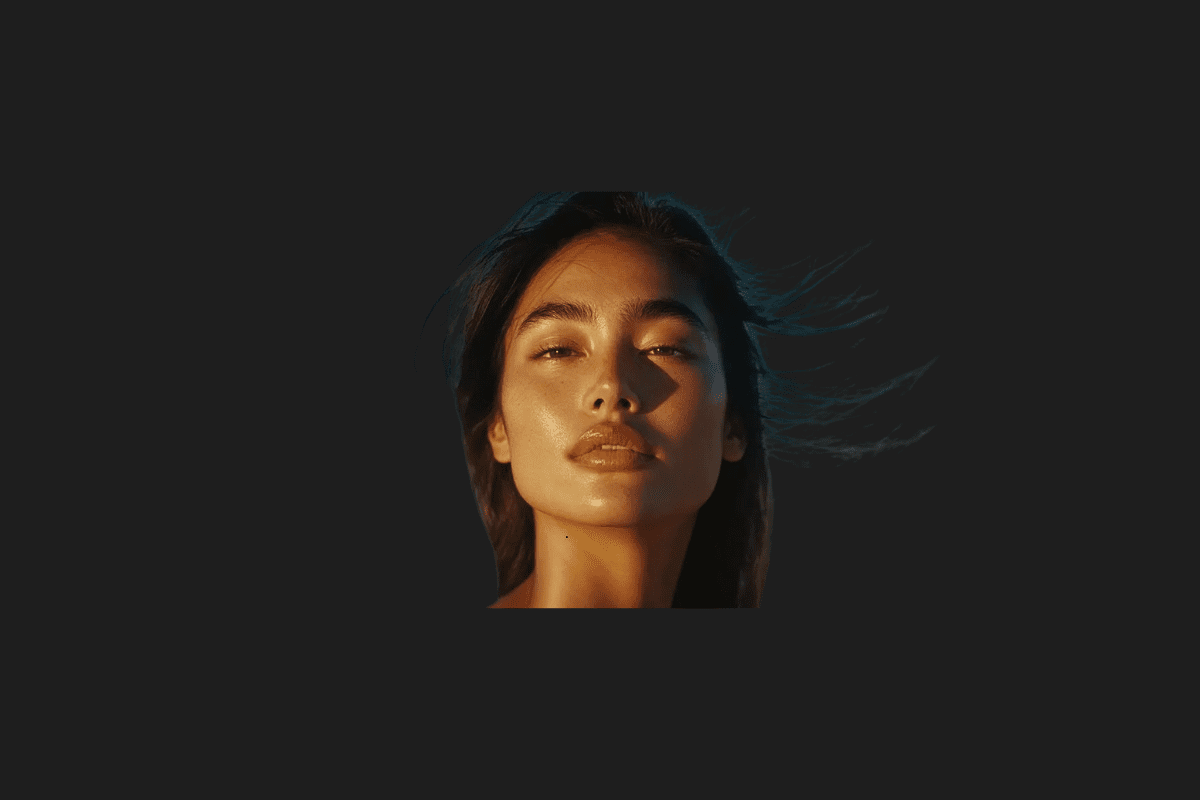
- Golden Hour: If you want that warm, nostalgic, “eternal summer” glow, this is the keyword. It adds a soft orange/yellow hue that makes skin tones look incredible.
- Volumetric Lighting: I love using this for forest or indoor shots. It creates those “god rays” where light beams are visible through mist or dust. It’s perfect for adding a sense of mystery.
- Neon Lighting: Want to go for a night-club or futuristic street style? This prompt pushes pinks, cyans, and purples into the frame, creating a sharp, modern contrast.
Ugu’s Pro Tip: Don’t just name the light; name the direction! Adding “Side lighting” or “Rembrandt lighting” will define facial features much more sharply than a general light prompt.
2. Choosing Your Aesthetic: Style and Effect Prompts

Sometimes reality is boring. I love taking a standard city street photo and turning it into a dreamscape. Depending on what you’re going for, here are the “style blocks” I recommend:
The Nostalgia Trip (Retro)
- Polaroid Style: This adds that classic white border, slightly washed-out colors, and a soft focus that makes any photo feel like a memory from the 80s.
- VHS Glitch: This is great for a “found footage” or edgy aesthetic. It adds color bleeding and those horizontal static lines we remember from old tapes.
- Sepia Tone: Simple but effective. It turns the clock back 100 years by bathing the image in rich browns and tans.
The Future is Now (Cyberpunk & Modern)
- Cyberpunk Aesthetic: Think Blade Runner. I use this to add neon signs, rainy streets, and a dark, high-tech atmosphere to cityscapes.
- Synthwave: If you like the 80s-future look—lots of purples, grids, and “outrun” vibes—this is your best friend.
- Futuristic Glossy: This makes surfaces look metallic, polished, and ultra-modern. Great for car photos or tech gadgets.
Artistic Touches
- Oil Painting: I’ve used this to turn family photos into “hand-painted” heirlooms. It makes brush strokes visible and adds a rich texture.
- Watercolor Sketch: This provides a soft, bleeding-color look that’s very elegant for landscape shots.
- Pop Art: If you want something bold and Andy Warhol-esque, this prompt will give you high-contrast, vibrant colors.
3. The “Make it Pro” Technical Prompts

Sometimes, you don’t want a “style”—you just want the photo to look like it was shot on a $5,000 camera. When I want to increase the perceived quality of an AI-generated or edited image, I use these technical terms:
| Prompt | What it actually does |
| Hyper-realistic | Tells the AI to focus on micro-details like skin pores or fabric textures. |
| 8k Resolution | Forces the AI to render with high sharpness and clarity. |
| Macro Photography | Creates an extreme close-up effect with a shallow depth of field. |
| Bokeh | The classic “blurry background” look that makes your subject stand out. |
4. My “Magic Formula” for the Perfect Prompt

I’ve experimented with hundreds of combinations, and I’ve found that the most consistent results come from a specific structure. I call it the Ugu Formula. Instead of a random sentence, try building your prompt like this:
[Subject] + [Environment/Background] + [Lighting] + [Style/Effect] + [Technical Detail]
Let’s see it in action. If I want to edit a photo of myself at a desk:
“A creator at a wooden desk (Subject), in a cozy studio filled with plants (Environment), volumetric lighting coming through a window (Lighting), cinematic style (Style), shot on 35mm lens with bokeh (Technical).”
By filling in these five slots, you give the AI a clear roadmap. It’s the difference between asking for “food” and ordering a “medium-rare ribeye steak with garlic butter.”
Why I Think This Matters
We are entering an era where imagination is the only bottleneck. For a long time, if you couldn’t draw or use complex software, your creative ideas stayed trapped in your head. Now, these prompts are the bridge. I find it incredibly empowering that a person with a great vision but no “technical” skills can now produce world-class art.
However, a word of caution: don’t let the AI do all the thinking. Use these prompts to enhance your perspective, not replace it. The best AI art still has a human heart behind the prompt.
I’m curious—which of these styles fits your personality the best? Are you more of a “Golden Hour” minimalist or a “Cyberpunk” extremist? Let me know in the comments, and I might help you refine your next prompt!
You Might Also Like;
- Pocket-Sized Wind Energy: The Revolution for Off-Grid Living
- The Wait is Finally Over: Native YouTube Lands on Apple Vision Pro
- Inside the Beast: Samsung and NVIDIA’s Massive AI Factory with 50,000 GPUs
-
-
-
-
-

-

-
-

-
-
-
-