


When we first tested Chatsonic by Writesonic, the thing that impressed us most was how it felt like a smarter, more dynamic alternative to ChatGPT. While many AI chatbots focus solely on conversation, Chatsonic goes the extra mile with real-time information, voice commands, image generation, and SEO-friendly writing assistance.
The best part? It doesn’t just give you answers — it helps you create, brainstorm, and stay up to date with the latest news and trends. For content creators, marketers, and even casual users, Chatsonic feels like an AI assistant that’s one step ahead.
In this review, we’ll walk you through what Chatsonic is, its standout features, pros and cons, pricing, and how to get started — all from the perspective of someone who has actually used it.
What is Chatsonic?
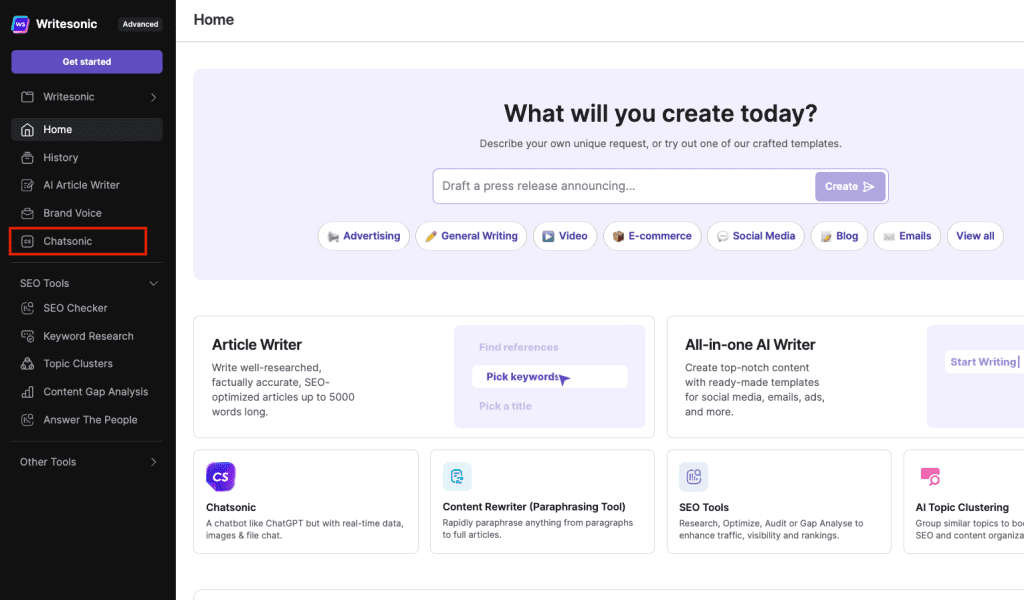
Chatsonic is an advanced AI chatbot built by Writesonic, designed to combine conversational intelligence with real-time data access and creative tools. Unlike traditional AI tools that rely on static training data, Chatsonic integrates with Google Search to provide fresh, accurate information.
Key Features We Loved

- Real-Time Knowledge: Answers questions using the latest information from Google.
- Voice Interaction: Talk to Chatsonic and get responses like a voice assistant.
- Image Generation: Create AI-powered images with simple text prompts.
- Content Writing: Generate blog posts, ads, and social media content with SEO focus.
- Persona Mode: Choose different personalities to change the chatbot’s tone.
- Integration with Writesonic: Access 80+ AI-powered writing tools.
Why We Enjoyed Chatsonic

What made us love Chatsonic the most was its flexibility. While other chatbots give static answers, Chatsonic is a true multitasker: it can summarize breaking news, draft creative content, and even generate visuals.
Here’s why it stood out:


- Always Updated: Perfect for fact-checking or trending topics.
- Creative Freedom: Great for writers, marketers, and entrepreneurs.
- Versatile Use Cases: From voice assistant tasks to blog writing.
- User-Friendly: Clean interface, simple to start using right away.
Areas for Improvement
- Pricing: Advanced features are locked behind higher plans.
- Occasional Overload: Because of so many options, it may feel overwhelming at first.
- Image Generation Quality: While fun, not always as sharp as specialized AI image tools.
How to Access and Use Chatsonic
Getting started with Chatsonic is simple and quick:
- Sign Up: Go to >> https://writesonic.com/ Writesonic and create a free or paid account.
- Navigate to Chatsonic: Open the Chatsonic tab from your dashboard.
- Choose a Mode: Select whether you want real-time search, persona, or image generation.
- Type or Speak: Enter your query or use voice commands.
- Refine and Use: Whether it’s an article draft, news update, or an AI-generated picture, Chatsonic tailors its output to your request.
Chatsonic (Writesonic) is more than just another chatbot — it’s a complete AI-powered assistant for anyone who wants real-time information, creative support, and content-generation tools in one place.
Our favorite part? How Chatsonic brings together the best of ChatGPT with Google-powered knowledge and extra creativity features like image generation.
If you’re looking for an AI tool that doesn’t just chat but actively helps you create, research, and innovate, then Chatsonic deserves a spot in your digital toolbox.
You Might Also Like;









