
In today’s fast-paced business world, branding is everything. Your logo, colors, and visual identity shape how people perceive your company. Looka AI is an AI-powered design tool that helps entrepreneurs, startups, and small businesses create professional logos and full brand kits in minutes — without needing a design background.
What impressed us most while testing Looka is how intuitive and user-friendly it is. Unlike traditional design software that requires skill and experience, Looka guides you through the entire branding process with AI-generated options that look polished and market-ready.
In this review, we’ll cover what Looka AI is, its key features, benefits, limitations, pricing, and how to use it effectively.
What is Looka AI?

Looka AI is an AI-driven logo and brand identity generator. By entering your business name, industry, and style preferences, you can instantly generate dozens of unique logo options. Beyond logos, Looka also provides brand kits, social media templates, and marketing materials to give your business a consistent and professional look.
It’s perfect for:
- 🚀 Startups launching their first brand identity
- 🛍 Small Businesses needing fast, affordable design solutions
- 🎨 Entrepreneurs who want polished branding without hiring a designer
- 📱 Marketers looking for quick assets for campaigns
Key Features of Looka AI

- AI Logo Generator – Instantly create logos tailored to your brand.
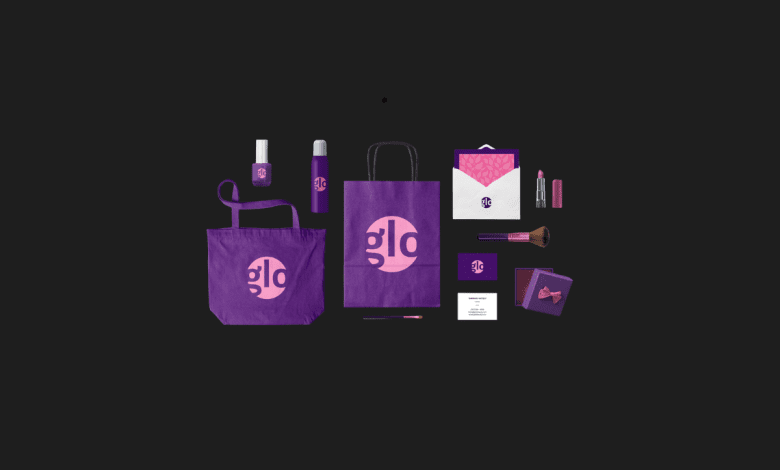
- Brand Kit Builder – Get business cards, letterheads, social media graphics, and more.
- Customizable Templates – Edit fonts, colors, and layouts to your preference.
- High-Resolution Files – Download print- and web-ready assets.
- Color Palette Generator – Build professional color schemes.
- Font Pairing Suggestions – AI recommends matching typography.
- Social Media Assets – Ready-to-use visuals for platforms like Instagram, LinkedIn, and Facebook.
Why We Enjoyed Looka AI
The most impressive part of Looka is its simplicity. Even with zero design experience, you can create a brand identity that looks like it came from a professional design studio.


Other highlights include:
- ⚡ Speed – Build a complete brand kit in under an hour.
- 💸 Affordability – A cost-effective alternative to hiring designers.
- 🎯 Consistency – Ensures all branding materials match your logo and style.
- 🖌 Customization – Easy editing for personalized results.
Areas for Improvement
While Looka is a fantastic tool, there are some limitations:
- 💵 One-Time Purchases – Some assets require additional payments.
- 🎨 Limited Creativity – Designs are template-based, so they may feel less unique.
- 📂 File Access – You only get editable files if you purchase higher-tier packages.
- 🌐 Internet Required – Entirely web-based, so you need a stable connection.
How to Use Looka AI
Getting started with Looka is simple:
- Sign Up – Create a free account at Looka.com.
- Enter Your Business Info – Provide your company name, slogan, and industry.
- Choose Styles & Colors – Select your design preferences.
- AI Generates Logos – Browse through multiple logo options.
- Customize – Adjust fonts, layouts, and icons.
- Build a Brand Kit – Get matching marketing assets instantly.
- Download & Use – Export files for web, print, and social media.
💡 Pro tip: Use Looka’s Brand Kit to keep all your business visuals consistent across websites, emails, and social media.
Final Verdict
Looka AI is more than just a logo maker — it’s a complete branding solution for modern businesses. By combining AI-powered design with easy customization, it empowers anyone to build a professional and cohesive brand identity in minutes.
Our favorite feature? The Brand Kit Builder, which instantly transforms your logo into a full set of marketing assets, saving you both time and money. 🎨🚀
You Might Also Like;