Artificial Intelligence is no longer just for powerful desktop computers. In 2026, the most powerful AI tools fit right in your pocket. Whether you need to write an email, design a logo, transcribe a meeting, or learn a new language, there is an app for that.
Here are the 10 best AI mobile apps available on iOS and Android that everyone is talking about right now.
1. ChatGPT (by OpenAI)


Best For: General assistance, writing, and conversation.
ChatGPT remains the king of mobile AI. The official app is incredibly smooth and offers features that the web version doesn’t, such as the impressive Voice Mode, which allows you to talk to the AI just like a real person. It is the ultimate pocket assistant for brainstorming, coding help, or just casual chat.
- ✅ Pros:
- Voice Mode: Excellent conversational capability that feels natural.
- Sync: Seamlessly syncs your history between your phone and computer.
- Versatility: Can handle almost any text-based task.
- ❌ Cons:
- Knowledge Cutoff: The free version may not always have the most real-time data.
- Limits: The most powerful model (GPT-4o) has usage limits for free users.
2. Microsoft Copilot

Best For: Free access to GPT-4 and image generation.
If you want the power of OpenAI’s GPT-4 without paying a subscription, Microsoft Copilot is the best choice. It integrates text generation with DALL-E 3, meaning you can ask it to write a poem and then ask it to create an image to go with it, all within the same chat.
- ✅ Pros:
- Free Power: Gives you access to GPT-4 and DALL-E 3 for free.
- Creativity: Great for generating images on the fly.
- Integration: Connects well with Microsoft’s ecosystem.
- ❌ Cons:
- Speed: Can sometimes be slower than ChatGPT.
- Ads: You might see sponsored suggestions in the interface.
3. Perplexity AI


Best For: Research and finding accurate answers with sources.
Perplexity is different from standard chatbots; it is an “answer engine.” Instead of just making things up, Perplexity browses the internet in real-time to find answers and cites its sources. It provides clickable numbers next to every claim so you can verify the information yourself.
- ✅ Pros:
- Citations: Always shows you where the information came from.
- Real-Time: Excellent for news and current events.
- Clean UI: A very user-friendly and distraction-free interface.
- ❌ Cons:
- Creativity: Better at facts than creative writing.
- Pro Mode: Deep research features require a subscription.
4. Google Gemini

Best For: Android integration and Google Workspace users.
Google’s native AI assistant, Gemini, is designed to replace the old Google Assistant on many phones. It integrates deeply with Google apps like Maps, Gmail, and Docs. You can ask it to “summarize this email” or “find a flight from my emails,” making it incredibly useful for productivity.
- ✅ Pros:
- Integration: Works perfectly with Google’s ecosystem (Gmail, Drive, Maps).
- Multimodal: Can analyze photos and answer questions about them.
- Speed: Very fast response times.
- ❌ Cons:
- Consistency: Can sometimes be overly cautious or refuse safe prompts.
- Assistant Features: Still learning some basic home automation commands.
5. Canva

Best For: Visual design, social media posts, and photo editing.
Canva has transformed from a simple design tool into a massive AI powerhouse. Its “Magic Studio” features allow you to edit photos, remove backgrounds, generate images from text, and even resize designs for different social platforms automatically.
- ✅ Pros:
- Magic Edit: Change objects in photos just by typing.
- Templates: Thousands of AI-ready templates.
- Ease of Use: No graphic design skills required.
- ❌ Cons:
- Paywall: Many of the best AI features require a Canva Pro subscription.
- Mobile Interface: Can feel a bit crowded on smaller screens.
6. Otter.ai

Best For: Voice transcription, meetings, and notes.
If you hate taking notes during meetings or lectures, Otter.ai is a lifesaver. It records audio and uses AI to transcribe it into text in real-time. It can even identify different speakers and generate a summary of the conversation with key bullet points.
- ✅ Pros:
- Speaker ID: Automatically recognizes who is talking.
- Summaries: Creates excellent “key takeaway” summaries.
- Search: You can search through your audio recordings using text.
- ❌ Cons:
- Language Support: Primarily optimized for English.
- Free Limits: The free plan has a monthly limit on transcription minutes.
7. Character.AI

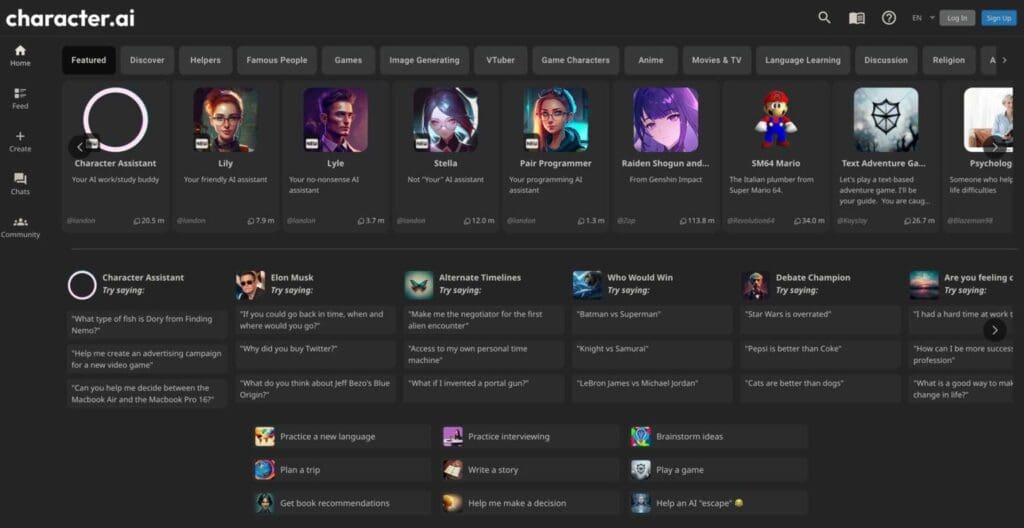
Best For: Entertainment, roleplay, and language practice.
While other apps focus on productivity, Character.AI focuses on personality. You can chat with AI versions of famous people, fictional characters from movies and games, or even language tutors. It is one of the most engaging and fun ways to interact with AI.
- ✅ Pros:
- Fun Factor: Endless entertainment with millions of characters.
- Community: You can create your own characters or use ones made by others.
- Voice: Many characters now have voice capabilities.
- ❌ Cons:
- Productivity: Not designed for factual research or work tasks.
- Filters: Strict content filters can sometimes limit the conversation flow.
8. Poe (by Quora)

Best For: Accessing multiple AI models in one place.
Can’t decide between Claude, ChatGPT, or other models? Poe gives you access to all of them in a single app. It is a “model aggregator” that lets you switch between different AIs depending on your needs—using Claude for writing and GPT-4 for reasoning, for example.
- ✅ Pros:
- Variety: Access to Claude 3.5 Sonnet, GPT-4o, Llama 3, and more.
- Speed: Extremely fast and lightweight interface.
- Custom Bots: You can create your own specialized bots.
- ❌ Cons:
- Subscription: Unlimited access to the best models requires a subscription.
- Points System: Using top-tier models costs “compute points.”
9. Notion
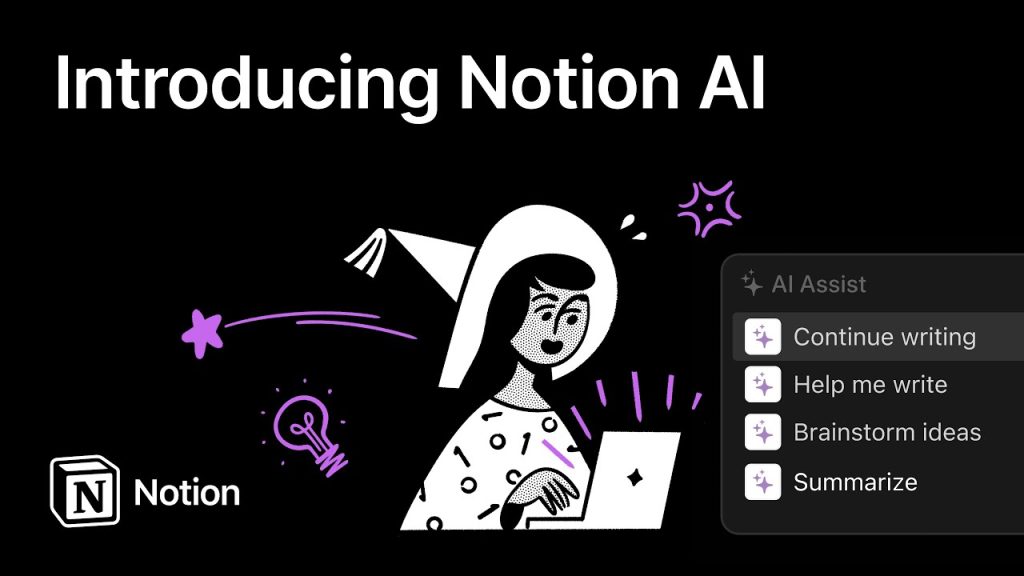
Best For: Notes, organization, and writing assistance.
Notion is already a favorite for organizing life and work, but Notion AI takes it to the next level. It can summarize your messy notes, fix your grammar, change the tone of your writing, or brainstorm ideas directly within your workspace.
- ✅ Pros:
- Organization: Keeps all your AI-generated content organized in one place.
- Q&A: You can ask questions about your own notes (e.g., “What did I write about the meeting last week?”).
- Writing Aid: Great for drafting blog posts or emails.
- ❌ Cons:
- Cost: Notion AI is an add-on cost to the standard plan.
- Learning Curve: Notion itself can be complex for new users.
10. Lensa AI


Best For: Photo editing and “Magic Avatars”.
Lensa took the world by storm with its “Magic Avatars,” but it is also a powerful everyday photo editor. It uses AI to retouch faces, replace backgrounds, and apply artistic styles to your photos with a single tap. It is perfect for making your selfies look professional.
- ✅ Pros:
- Magic Avatars: Creates stunning, artistic profile pictures.
- Retouching: “Magic Correction” improves photos instantly.
- User Friendly: Very simple interface.
- ❌ Cons:
- Cost: The Magic Avatars feature usually requires a separate purchase.
- Privacy: Some users have concerns about how data is used for training.
You Might Also Like;
- Pocket-Sized Wind Energy: The Revolution for Off-Grid Living
- The Wait is Finally Over: Native YouTube Lands on Apple Vision Pro
- Inside the Beast: Samsung and NVIDIA’s Massive AI Factory with 50,000 GPUs
-
-

-

-

-

-

-
-

-
-

-

-