Artificial intelligence is revolutionizing video content creation, and Veed.io is one of the most user-friendly platforms for online video editing and AI-powered content creation. Unlike traditional video editors, Veed.io combines intuitive tools with AI features, making it easy for creators of all skill levels to produce professional-quality videos.
What we loved most while testing Veed.io is how seamlessly it combines editing, transcription, and AI enhancements in a single platform. Whether it’s social media content, marketing videos, or educational tutorials, Veed.io simplifies the process while delivering high-quality results.
In this review, we’ll cover what Veed.io is, its key features, benefits, limitations, pricing, and how to use it effectively.
What is Veed.io?


Veed.io is an AI-powered online video editing platform that allows users to create, edit, and enhance videos with advanced features such as AI transcription, automatic subtitles, and text-to-speech. It’s designed for content creators, marketers, educators, and social media managers who want to produce engaging videos quickly.
It’s ideal for:
- Social media content creators
- Marketers producing promotional videos
- Educators and online course creators
- Businesses creating professional video content
Key Features of Veed.io

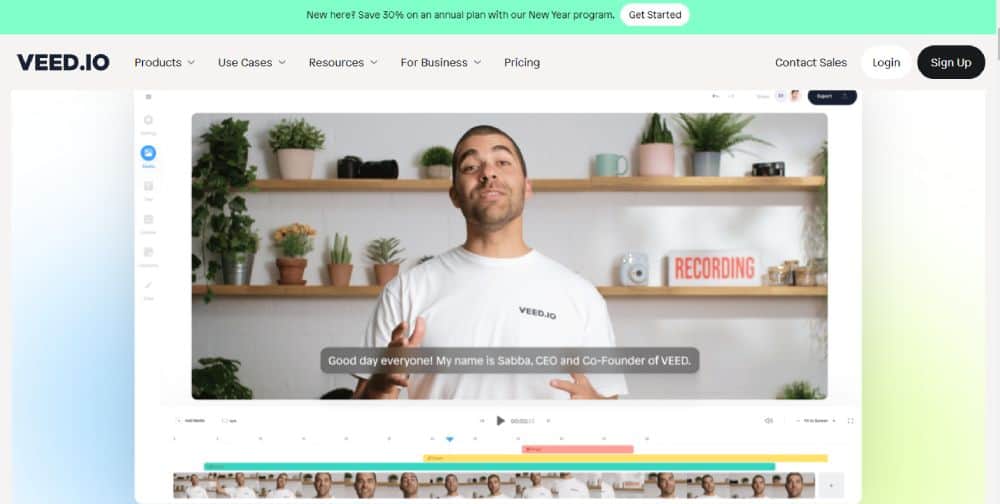
- AI Transcription & Subtitles: Automatically generate accurate subtitles for videos.
- Text-to-Speech: Convert scripts into natural-sounding AI voiceovers.
- Video Editing Tools: Trim, merge, add effects, and enhance visuals effortlessly.
- Templates & Stock Media: Access pre-made templates and stock footage.
- Collaborative Editing: Share and work on projects with teams in real-time.
- Cloud-Based Platform: No downloads or high-end hardware required.
Why We Enjoyed Veed.io
The most impressive feature of Veed.io is its combination of AI automation and intuitive video editing, allowing creators to produce polished content quickly.
Other advantages include:
- Time-Saving: Generate subtitles, voiceovers, and edits in minutes.
- Professional Quality: AI tools ensure polished and accurate output.
- Beginner-Friendly: Easy-to-use interface suitable for all skill levels.
- Versatile Applications: Perfect for social media, marketing, tutorials, and more.
Areas for Improvement
- Pricing: Full features and high-quality exports require a paid plan.
- Limited AI Customization: Some advanced editing options are less flexible.
- Internet Required: Cloud-based platform depends on stable internet.
- Processing Time: High-resolution or long videos may take longer to process.
How to Use Veed.io
Using Veed.io is straightforward:
- Sign Up: Create an account on Veed.io.
- Upload Your Video or Script: Import media or provide text for AI voiceovers.
- Apply AI Features: Generate subtitles, add AI voiceovers, or enhance visuals.
- Edit & Customize: Trim clips, add text, effects, and transitions.
- Preview & Export: Review your video and export in the desired format.
- Share Directly: Publish to social media or download for offline use.
💡 Pro tip: Use the AI subtitle and transcription features for better accessibility and engagement on social media platforms.
Final Verdict
Veed.io is a powerful AI video editing platform that streamlines content creation for creators, marketers, and educators. Its combination of AI automation, easy editing tools, and cloud-based workflow makes it a must-have for anyone producing video content.
Our favorite part? The effortless AI-powered features like transcription, subtitles, and text-to-speech, which save time and make professional-quality video creation accessible to everyone.
You Might Also Like;
- How to Create the Viral Tokyo Drift AI Trend for Free
- How to Make AI Talking Fruit and Vegetable Videos
- NASA Delays Crewed Moon Mission AgaiN
-

-

-

-
-

-

-

-

-

-

-

-