

Are you ready to boost your productivity without writing a single line of code?
The AI revolution is here, and the best part is: you don’t need to be a tech wizard to join in. “No-code” tools are leveling the playing field, allowing creators, entrepreneurs, and students to build, design, and automate tasks with simple drag-and-drop interfaces.
In this guide, we explore 5 essential no-code AI tools that are beginner-friendly, powerful, and ready to transform the way you work.
1. Canva Magic Studio


Best For: Visual Design & Image Creation
Canva has long been the king of user-friendly design, but its new “Magic Studio” brings powerful AI right to your fingertips. It transforms simple text prompts into social media posts, presentations, and custom images instantly.
- Key Features:
- Magic Design: Upload a photo or type a prompt, and it generates fully designed templates.
- Magic Switch: Instantly resize designs for different platforms (e.g., turn an Instagram post into a Doc).
- Text-to-Image: Generate custom stock photos from descriptions.
- Pricing:
- Free: Generous free plan with access to basic AI tools.
- Pro: ~$15/month (unlocks premium AI features and unlimited assets).
- ✅ Pros:
- Extremely intuitive interface (drag-and-drop).
- All-in-one platform for graphics, video, and print.
- Huge library of pre-made templates.
- ❌ Cons:
- Not as flexible as professional tools like Adobe Photoshop.
- Generic AI images can sometimes look “cartoony.”
2. Jasper AI


Best For: Writing & Content Marketing
If you need to write blog posts, emails, or ad copy fast, Jasper is your digital copywriter. Unlike generic chatbots, Jasper is specifically trained on marketing data to ensure your content converts readers into customers.
- Key Features:
- Brand Voice: Learns your specific tone and style to sound just like you.
- Templates: Over 50+ templates for SEO blogs, Facebook ads, and Amazon descriptions.
- Art Generator: Creates royalty-free images to match your content.
- Pricing:
- Creator: Starts at ~$39/month.
- Pro: Starts at ~$59/month (includes Brand Voice).
- ✅ Pros:
- Produces high-quality, human-like marketing copy.
- Excellent for overcoming writer’s block.
- Built-in SEO tools to help your content rank.
- ❌ Cons:
- More expensive than other writing assistants.
- Still requires human fact-checking for accuracy.
3. Descript

Best For: Video & Podcast Editing
Descript changes video editing from a complex technical task into something as easy as editing a Word document. If you delete text from the transcript, the AI automatically cuts that part of the video or audio.
- Key Features:
- Text-Based Editing: Edit video/audio by editing the text transcript.
- Studio Sound: Removes background noise and echo with one click.
- Overdub: Type words, and the AI generates audio in your voice to fix mistakes without re-recording.
- Pricing:
- Free: 1 transcription hour per month.
- Creator: $12/month (10 transcription hours).
- ✅ Pros:
- Massive time-saver for podcasters and YouTubers.
- Removes “umms” and “uhs” automatically.
- Very beginner-friendly compared to Premiere Pro.
- ❌ Cons:
- Transcription isn’t 100% perfect (mostly 95%).
- Can be resource-heavy on older computers.
4. Zapier


Best For: Automation & Workflows
Zapier is the glue that connects your favorite apps. With its new AI features, you can automate repetitive tasks between Google Sheets, Slack, Gmail, and 6,000+ other apps without hiring a developer.
- Key Features:
- Natural Language Actions: Describe what you want to automate in plain English, and AI builds the workflow.
- Zaps: Automated workflows (e.g., “When I get a new lead in Facebook, send them an email”).
- Tables & Interfaces: Build simple databases and apps.
- Pricing:
- Free: 100 tasks/month (single-step zaps).
- Starter: ~$20/month (multi-step zaps).
- ✅ Pros:
- Connects almost any software you use.
- Saves hours of manual data entry every week.
- Reliable and runs in the background.
- ❌ Cons:
- Can get expensive if you have high-volume tasks.
- Complex workflows might have a slight learning curve.
5. Notion AI
Best For: Organization, Notes & Project Management
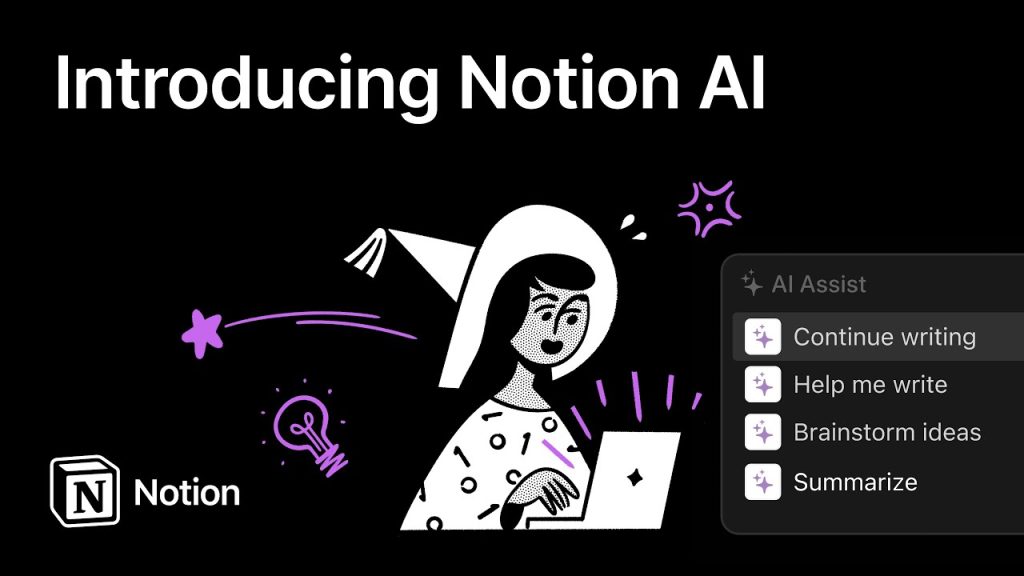
Notion is already a favorite for organizing life and work. Notion AI is an add-on that lives directly inside your workspace, helping you summarize messy notes, brainstorm ideas, and fix grammar instantly.
- Key Features:
- Summarization: Instantly summarizes long meeting notes or documents.
- Action Items: Automatically extracts “to-do” lists from meeting transcripts.
- Translation: Translates text into different languages directly on the page.
- Pricing:
- Add-on: $10/member/month (added to your existing Notion plan).
- ✅ Pros:
- Seamlessly integrated; no need to switch tabs to ChatGPT.
- Great for cleaning up messy thoughts and notes.
- Very affordable add-on.
- ❌ Cons:
- Requires you to already use Notion as your workspace.
- Not as good at creative writing as Jasper.
Comparison Table
| Tool | Primary Use | Difficulty | Starting Price |
| Canva | Design & Images | Very Low | Free / $15 |
| Jasper | Writing & Marketing | Low | $39/mo |
| Descript | Audio/Video Editing | Low | Free / $12 |
| Zapier | Automation | Medium | Free / $20 |
| Notion AI | Notes & Productivity | Low | $10/mo |
You Might Also Like;
- A Century-Old Aviation Dream Reborn: The Channel Wing VTOL Takes Flight
- The Dawn of the Automated Battlefield: How Ground Robots Are Redefining Warfare
- The Insatiable Hunger of AI: Why Tech Giants Are Chasing Natural Gas
-

-

-

-

-

-

-
-

-

-

-

-
