The cards are being reshuffled in the social media world! There is a massive new trend reaching millions of views on TikTok, Instagram Reels, and YouTube Shorts: talking fruits, vegetables, and inanimate objects. Whether it’s an apple advocating for its rights or a coffee cup complaining about its day, these viral videos can now be produced entirely using artificial intelligence (AI) tools, requiring absolutely no technical background.
But what exactly is powering this digital content revolution, and how are these videos made? Here is your complete step-by-step guide.
The Best AI Tools for Talking Object Videos


You don’t need professional camera equipment or a production crew. You can create viral content using just three core AI tools:
- ChatGPT: Used for character analysis, crafting visual prompts, and writing engaging scripts.
- Sora or Google AI Studio (Imagen): Used to generate high-resolution, realistic character images.
- Kling 2.6 or Flow: Used to animate static images, make them talk (lip-sync), and add voiceovers.
Step-by-Step AI Video Production Process


To transform your creativity into a digital character, follow this simple route:
1. Script and Character Design (ChatGPT)
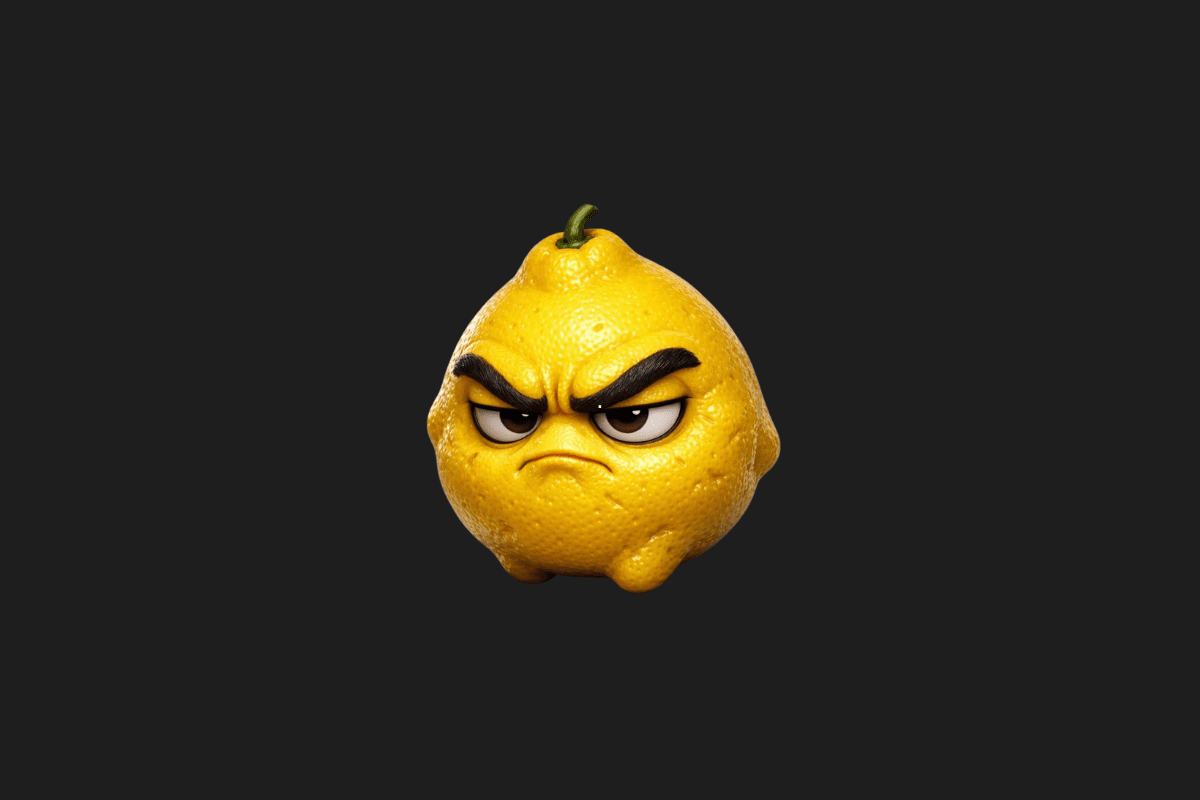
The process begins with a prompt you feed into ChatGPT. For example, if you ask, “Can you prepare a visual prompt describing the physical features of a grumpy lemon?”, ChatGPT will provide you with:
- A detailed visual prompt describing the character’s physical appearance.
- A personality profile that determines the character’s tone of voice and attitude.
- A short, engaging script tailored to that persona.
2. Image Generation (Sora or Imagen)
Take the detailed visual prompt you received from ChatGPT and bring it over to Sora or Google AI Studio (Imagen). Set your aspect ratio (9:16 for vertical social media or 16:9 for horizontal) and generate a high-quality base image of your object.
3. Animation and Voiceover (Kling 2.6 / Flow)
For the final touch, move over to the Kling 2.6 platform:
- Upload the image you just generated into the system.
- In the video prompt section, describe how the character should move (e.g., blinking, mouth movements, subtle body language).
- Activate the voiceover feature, paste your script, and generate your video in seconds.
Note: You can also use Flow instead of Kling. Simply select the “Frames to video” option, upload your image, and write your prompt.
Why Are These Videos Getting So Many Views?


There are four main reasons why “Talking Object” videos are skyrocketing in social media algorithms:
| Reason | Explanation |
| Fast Consumption | Their short and concise nature perfectly captures an audience with a low attention span. |
| Emotional Connection | Giving human traits to inanimate objects (anthropomorphism) sparks curiosity and empathy. |
| Low Cost & Effort | Instead of hours of shooting and editing, production takes mere minutes using AI. |
| Algorithm Friendly | Because they are highly engaging, they have high completion rates, prompting platforms to push them to more users. |
As artificial intelligence technologies evolve, technical skills are being rapidly replaced by the ability to write the “right prompt.” The future of social media lies hidden in AI-supported creative content.
You Might Also Like;
- How to Create the Viral Tokyo Drift AI Trend for Free
- How to Make AI Talking Fruit and Vegetable Videos
- NASA Delays Crewed Moon Mission AgaiN
-
-

-
-

-

-
-

-

-
-

-
-