Let’s be honest — writing code can be challenging, even for experienced developers. Searching for the right syntax, debugging errors, or trying to implement complex logic can slow down your workflow. That’s where GitHub Copilot steps in.
After testing it ourselves, what we loved most is how GitHub Copilot acts like a virtual pair programmer — suggesting code, generating functions, and even writing documentation. It leverages AI trained on billions of lines of code to provide real-time assistance in your coding environment.
Unlike traditional code editors, GitHub Copilot doesn’t just autocomplete code — it helps you think through logic, learn new patterns, and accelerate development.
In this review, we’ll cover what GitHub Copilot is, its main features, pros and cons, pricing, and how to get started effectively.
What is GitHub Copilot?

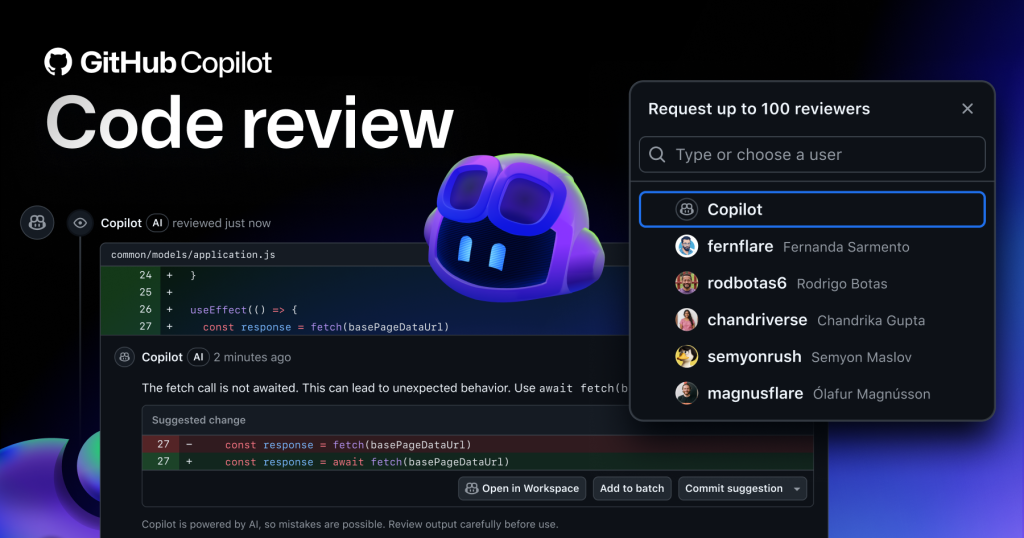
GitHub Copilot is an AI-powered coding assistant developed by GitHub and OpenAI. Integrated into code editors like VS Code, JetBrains, and Neovim, it provides context-aware suggestions for functions, methods, and entire code blocks.
It supports multiple programming languages, frameworks, and libraries, making it ideal for both beginners and professional developers.
Key Features of GitHub Copilot

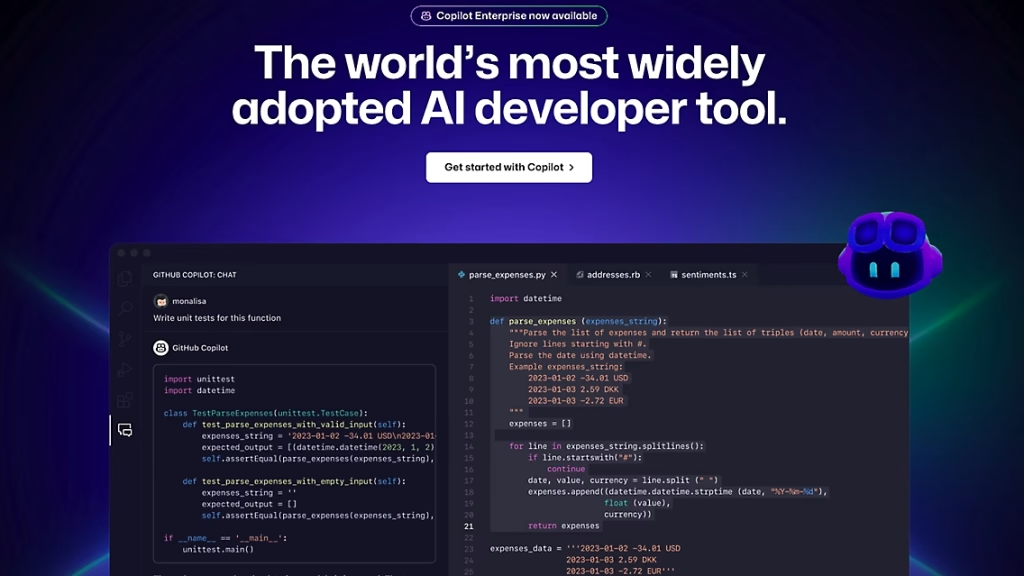
- Context-Aware Code Suggestions: AI predicts code based on your current context.
- Code Snippets and Functions: Generates complete functions and boilerplate code instantly.
- Documentation Assistance: Helps write clear code comments and documentation.
- Multi-Language Support: Works with Python, JavaScript, Java, C#, Go, and more.
- Integration with IDEs: Seamlessly integrates with VS Code, JetBrains IDEs, and Neovim.
- AI-Powered Learning: Learn coding patterns and best practices by observing suggestions.
Why We Enjoyed GitHub Copilot
The part we enjoyed most is how it dramatically speeds up coding while reducing mental load. It’s like having a smart assistant that writes repetitive code, leaving you free to focus on complex logic and problem-solving.
Other advantages include:
- Boosts Productivity: Saves hours on boilerplate code and common patterns.
- Learning Aid: Helps junior developers understand advanced coding techniques.
- Reduces Errors: Suggests tested and syntactically correct code.
- Flexible: Works across multiple languages and frameworks.
Areas for Improvement
- Subscription Required: Full features need GitHub Copilot subscription.
- Occasional Incorrect Suggestions: AI may propose inefficient or wrong code; always review.
- Not a Replacement for Human Logic: Developers must validate and adapt AI suggestions.
How to Access and Use GitHub Copilot
Getting started with GitHub Copilot is straightforward:
- Sign Up for GitHub Copilot: Visit www.github.com/features/copilot and choose a subscription plan.
- Install in Your IDE: Available for VS Code, JetBrains IDEs, and Neovim.
- Enable Copilot: Activate it in your IDE settings.
- Start Coding: Type code or comments, and Copilot will suggest completions or entire code blocks.
- Review & Adjust: Accept suggestions, modify them, or write your own.
💡 Pro tip: Use Copilot as a learning companion. Study the AI suggestions to understand new coding patterns and improve your skills over time.
GitHub Copilot AI Tools are essential for developers who want to code smarter, faster, and more efficiently. Its AI-powered suggestions, context awareness, and multi-language support make it a game-changer in modern software development.
Our favorite part? How Copilot reduces repetitive tasks while teaching better coding practices — turning every coding session into both productive work and a learning opportunity.
You Might Also Like;
- The Mystery of the Far Side: What Is Hiding in the Lunar Shadows? | Metaverse Planet
- The Doomsday Clock Hits 85 Seconds to Midnight: Are We Out of Time?
- Nvidia’s AI Can Now Predict the Future (Of Weather)
-

-

-

-

-

-

-
-
-

-
-

-