

In today’s fast-paced legal environment, efficiency, accuracy, and speed are critical. Casetext CoCounsel AI is an AI-driven legal research and drafting tool designed to help attorneys, paralegals, and law firms streamline case preparation, analyze legal documents, and draft precise motions and briefs.
What we loved most while testing Casetext CoCounsel AI is its ability to quickly process complex legal documents and provide actionable insights. Unlike traditional research methods, CoCounsel leverages advanced AI to summarize cases, suggest arguments, and even identify relevant statutes — saving hours of manual work.
In this review, we’ll cover what Casetext CoCounsel AI is, its key features, benefits, limitations, pricing, and how to use it effectively.
⚖️ What is Casetext CoCounsel AI?

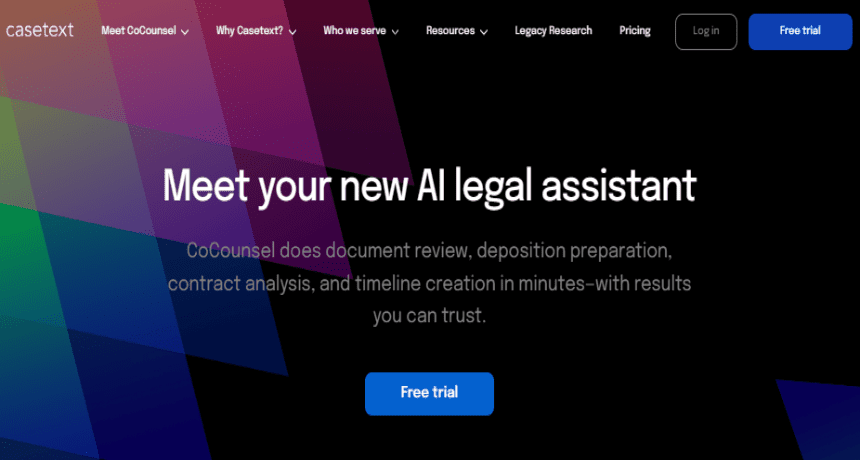
Casetext CoCounsel AI is an AI-powered legal assistant designed to streamline legal research, drafting, and case analysis. By combining natural language processing and machine learning, it helps legal professionals work faster, minimize errors, and focus on strategy rather than repetitive tasks.
It’s perfect for:
👩⚖️ Attorneys who need faster case research and drafting assistance
📚 Paralegals & Legal Assistants managing large volumes of documents
🏢 Law Firms aiming to increase productivity and reduce overhead
⚖️ Anyone seeking AI-enhanced legal research and document preparation
🔑 Key Features of Casetext CoCounsel AI
AI-Powered Legal Research – Quickly finds relevant case law, statutes, and precedents.
Document Analysis – Summarizes complex legal documents and identifies key points.
Drafting Assistance – Generates motions, briefs, and other legal documents efficiently.
Argument Suggestions – Provides recommended legal arguments based on case context.
Citation Checking – Ensures references and citations are accurate and compliant.
Collaboration Tools – Allows teams to share insights and annotations seamlessly.
Time-Saving Automation – Reduces hours spent on research and drafting tasks.
🌟 Why We Loved Casetext CoCounsel AI
The most impressive aspect of CoCounsel AI is its ability to combine legal expertise with AI speed, turning hours of research into minutes.
Other highlights include:
⚡ Efficiency – Dramatically accelerates research and drafting
📊 Accuracy – Reduces human error in legal document review
💡 Intelligence – Provides context-aware suggestions for arguments
📱 User-Friendly – Intuitive interface for attorneys and legal staff
⚠️ Areas for Improvement
While CoCounsel AI is a powerful tool, some areas could improve:
💵 Pricing – Subscription plans may be costly for solo practitioners
🛠 Learning Curve – New users may require time to fully utilize advanced features
🌍 Jurisdiction Coverage – Primarily U.S.-focused; international law support is limited
📄 Complex Cases – Highly nuanced legal arguments still require human review
🚀 How to Use Casetext CoCounsel AI
Getting started with CoCounsel AI is simple:
- Sign Up – Create an account at Casetext.com
- Upload Documents – Add case files, contracts, or motions for analysis
- Use AI Research Tools – Quickly identify relevant case law and precedents
- Draft Documents – Generate briefs, motions, or arguments with AI assistance
- Review & Edit – Make final adjustments and ensure legal accuracy
- Collaborate – Share insights and edits with your team for review
💡 Pro Tip: Use CoCounsel’s argument suggestion feature to uncover legal angles you may have missed, giving your cases a strategic edge.
🏁 Final Verdict
Casetext CoCounsel AI is transforming legal research and drafting with AI-powered efficiency. By automating research, summarizing complex documents, and providing drafting assistance, it saves time while enhancing accuracy.
Our favorite feature? The AI-powered legal research and argument suggestions, which turn hours of manual work into minutes — allowing attorneys to focus on strategy, not busywork. 🚀⚖️
You Might Also Like;
- The Dark Side of Nanotechnology: Could Microscopic Swarms Erase Billions?
- The Illusion of Digital Immortality: Are You Really Uploading Your Mind?
- The View That Changes Everything: Artemis 2’s Deep Space Eclipse
-

-

-

-

-

-

-

-
-

-

-

-

